 Desktop N Draw
A token in two taps
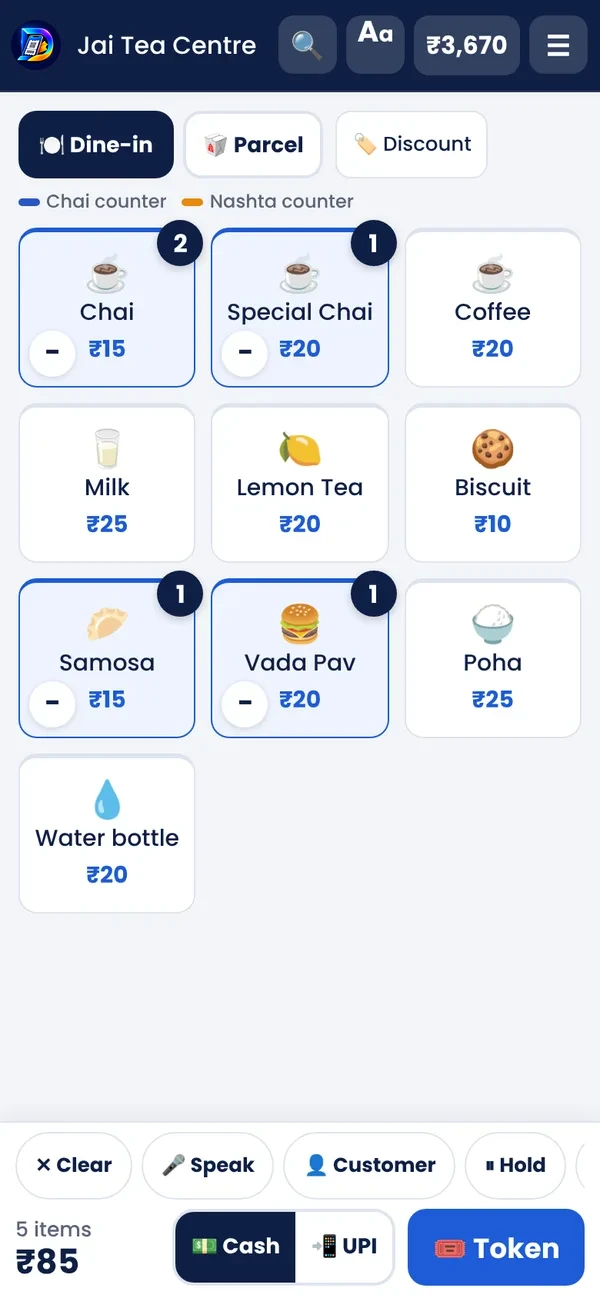
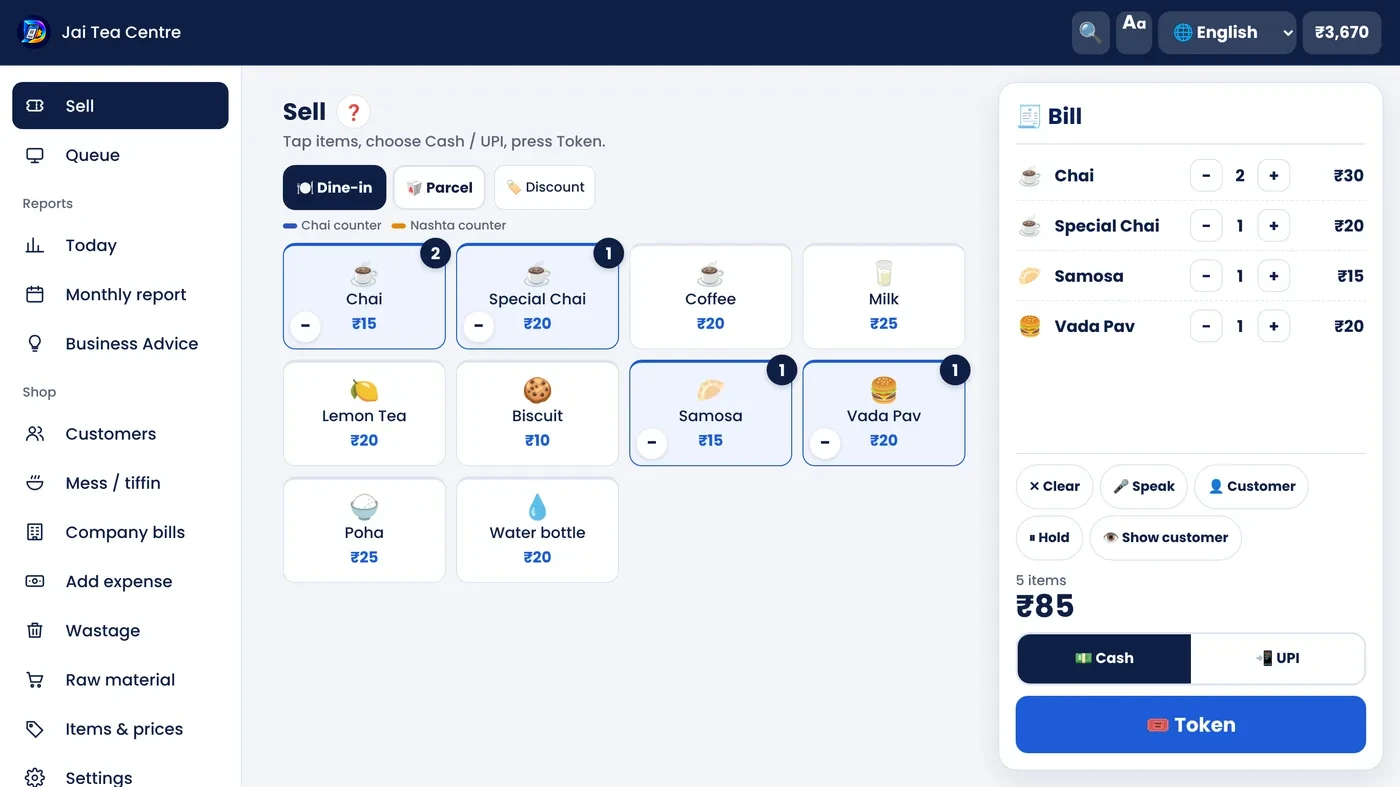
Tap the items, choose cash or UPI, and the token is ready — printed on a small printer or shown big on the screen.
- Speak the order: “2 chai, 1 samosa”
- Dine-in, parcel and discount in one tap
- UPI QR on the screen for the customer
 Desktop N Token
Tap the items, take cash or UPI, hand over the token. Today's total is always ready — on a phone, tablet or laptop.
Free plan · 🎉 50% launch offer · Ask for a demo on WhatsApp
Used by
Tap the items, choose cash or UPI, and the token is ready — printed on a small printer or shown big on the screen.
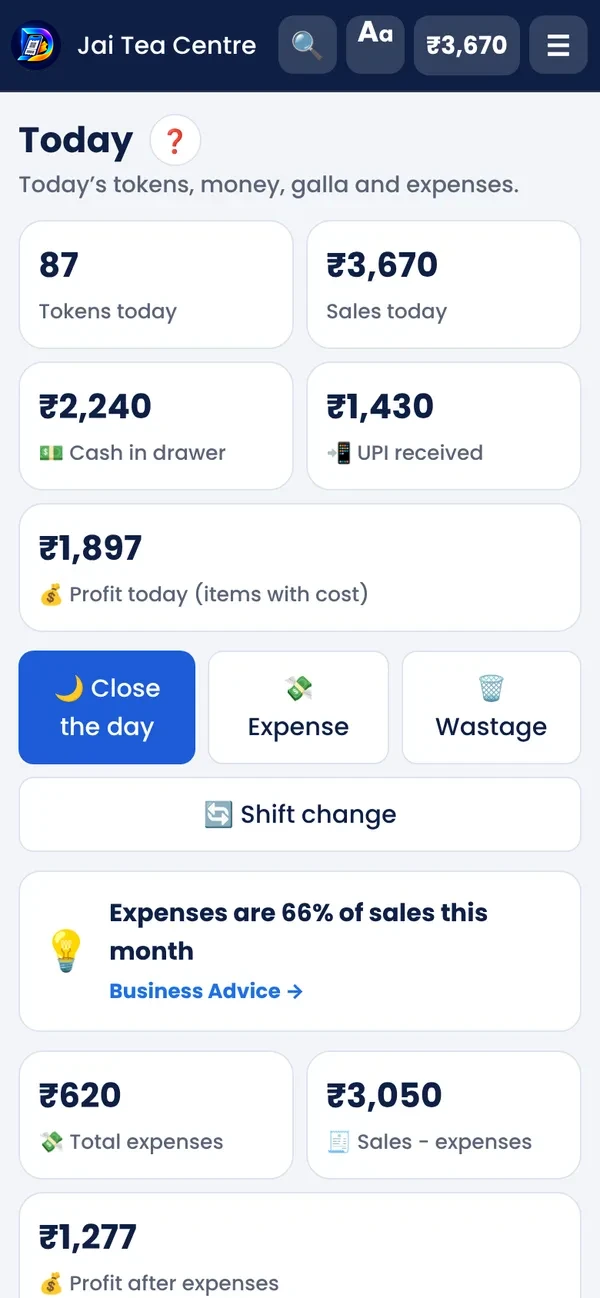
Cash, UPI, expenses and wasted items for the day — check the galla in a minute before closing.
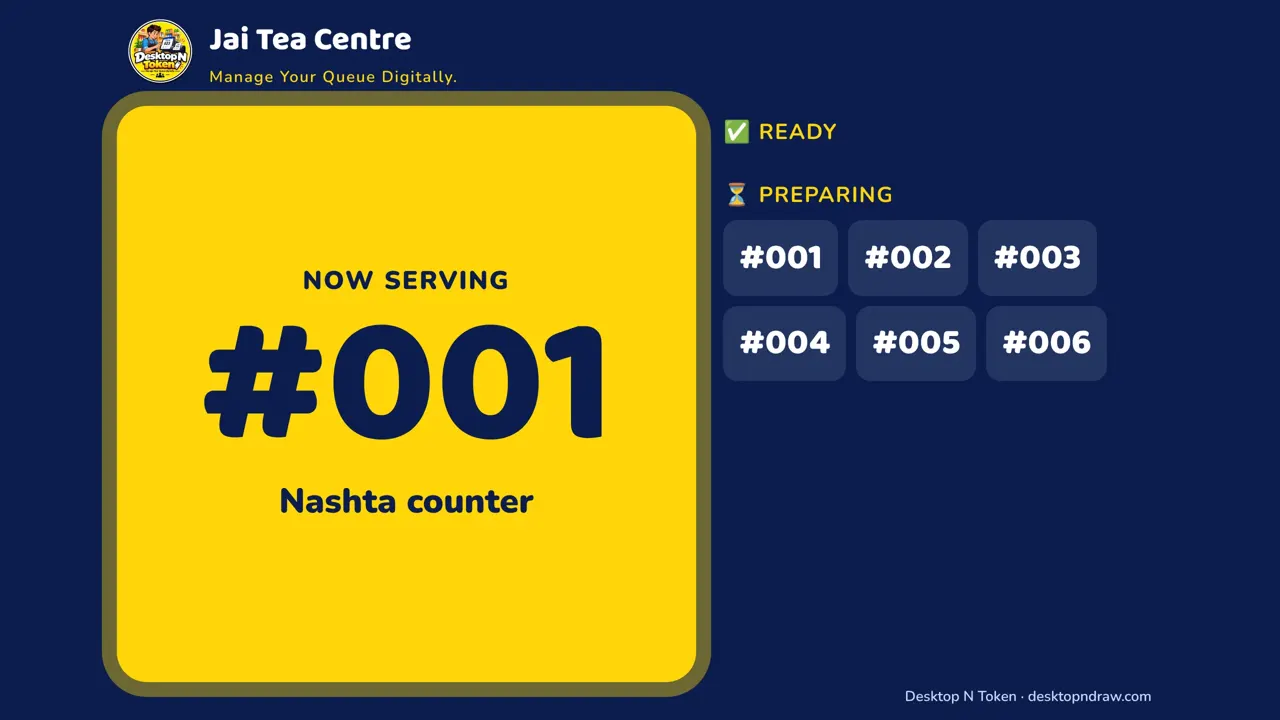
In rush hours, orders go to the kitchen screen and token numbers show on a TV when they are ready.
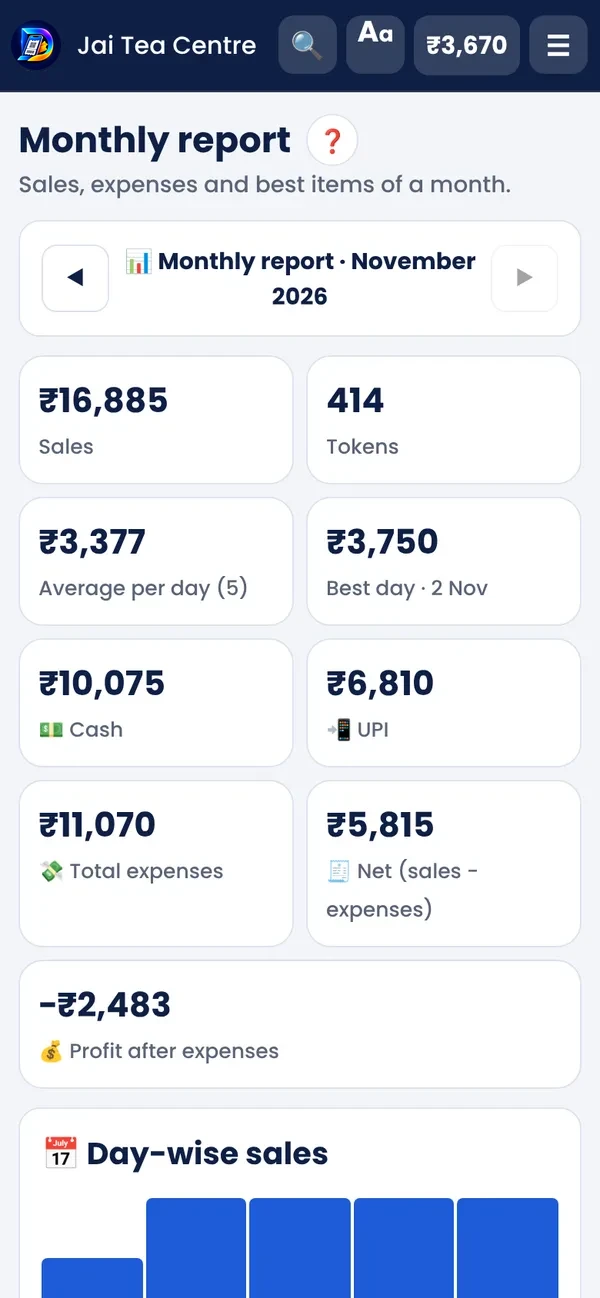
Sale, expenses and profit for each month, item by item, plus a one-page Year report — download to Excel or save as PDF.
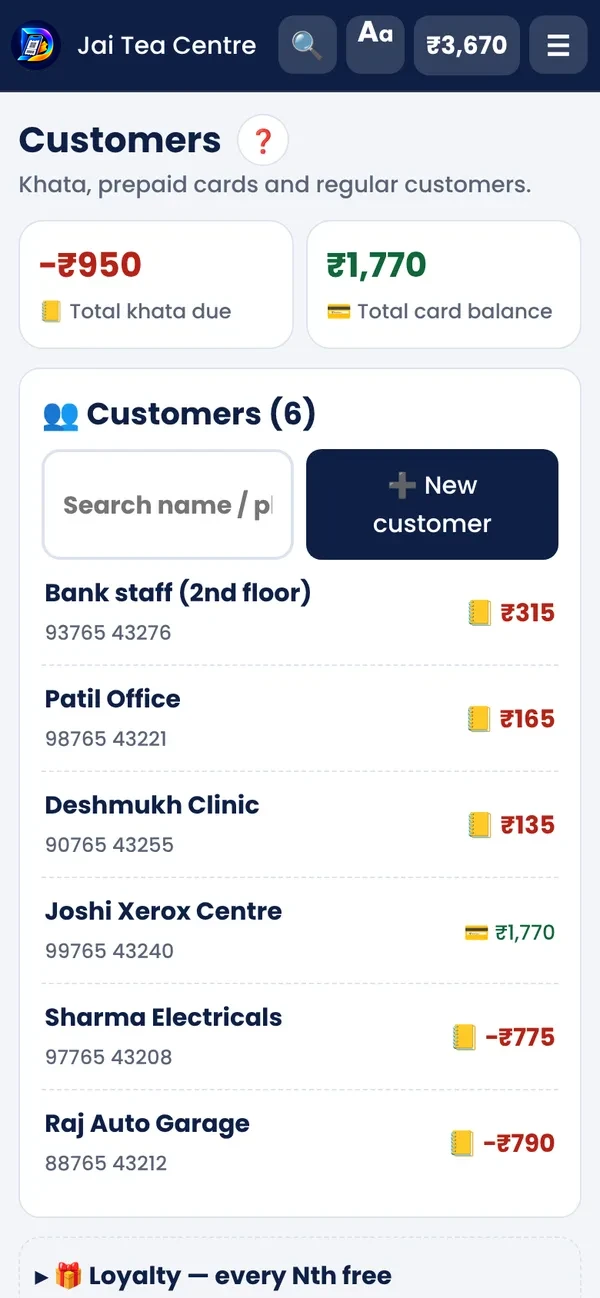
Keep khata for regulars, send a WhatsApp reminder with a pay link, and make one monthly bill for an office.
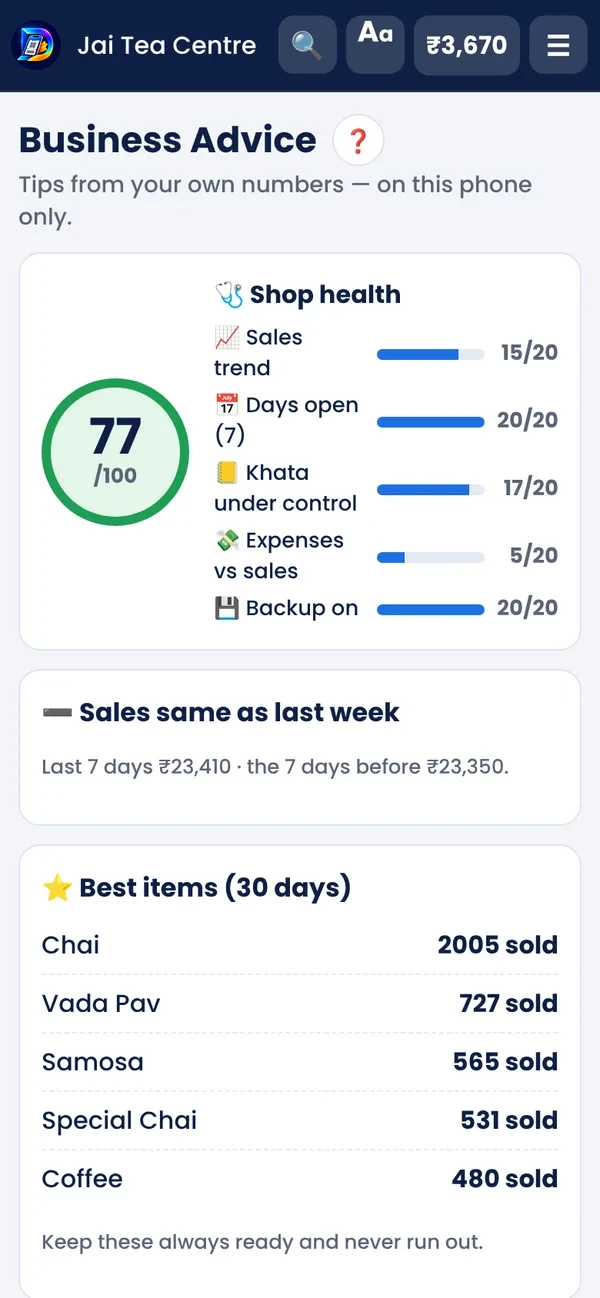
Best-selling items, busy hours, profit per item and tips for the week — worked out on your phone.
Menu on the left, items in the middle, the bill on the right. On Windows, install it from the Microsoft Store.
November 2026 updates — free for everyone.
Chai shows as चहा in Marathi and चाय in Hindi. Ready menus for your stall type.
Snack centre, chaat and mess — with their own ready items.
If you have GST registration, the token shows the GST part of the price.
Long names fit the slip, cash given and change are printed, and A4 / A5 prints have a black & white light design.
One owner PIN opens 5 minutes. Close the day has clear steps with totals on top.
Calculator on the token screen — add any amount to the token in one tap. The Today page shows sales vs the same day last week.
Separate chai and nashta counters, each with its own colour.
Monthly plans, meals taken and each member's balance — no register needed.
Milk, sugar and tea powder — know when to buy more.
Note daily expenses and wasted items so the profit is real.
A second screen shows the order and the UPI QR to the customer.
PIN lock, data on your phone, backup file or Google Drive.
Start free — daily billing stays free on the Free plan. Take Basic or Pro when you want reports, advice and more phones.
No. Tokens, printing and reports work without internet. Internet is needed only to install the app, for WhatsApp and for the TV / kitchen screen link.
Any 58 mm or 80 mm Bluetooth thermal receipt printer that supports ESC/POS. Message us on WhatsApp before buying — we will help you choose.
Yes. The token shows big on the screen; the customer shows it at the counter.
On your phone. Keep a backup from Settings (backup file or Google Drive).
Yes. The Free plan has no time limit: tokens and slips (print or WhatsApp), today's total with cash / UPI and close the day — on 1 phone. Khata, monthly report, Business Advice, cloud backup and more phones come with Basic or Pro. 🎉 Till 31 March 2027 the first year of Basic / Pro is 50% off.
Marathi, Hindi and English. You can change the language any time.
Yes. On Raw material, count your stock once — every token takes it off by the recipe. Tap Bought when you buy more. It shows what is running low and what to buy for tomorrow.
Yes — monthly or per-meal plans. Mark each meal taken or absent; the khata is made by itself. Company canteen bills with the company share work too.
In the app open the menu → Report a problem (problem, idea or question), or WhatsApp us on +91 97640 18789. We read every message.
Open token.desktopndraw.com in Chrome and tap Install (or Add to Home screen). On a Windows PC, install it from Chrome or Edge the same way. It updates by itself.